FEWDRemote
Lecture 9: Intro to JavaScript
-
Time to code, fam.

-
Learning Objectives
- Understand what JavaScript is and what it is used for
- Learn the basic fundamentals of the JavaScript language
-
Agenda
Ok game time. Let’s learn some JavaScript.
- Warmup
- What is JavaScript?
- Essential Terminology
- Getting Started
- Exercises
Warmup
Let’s review bootstrap / frontend frameworks
-
Create a simple Bootstrap page
- include a navbar
- three card components arranged in a horizontal row, centered (not vertically, just horizontally)
-
Grids
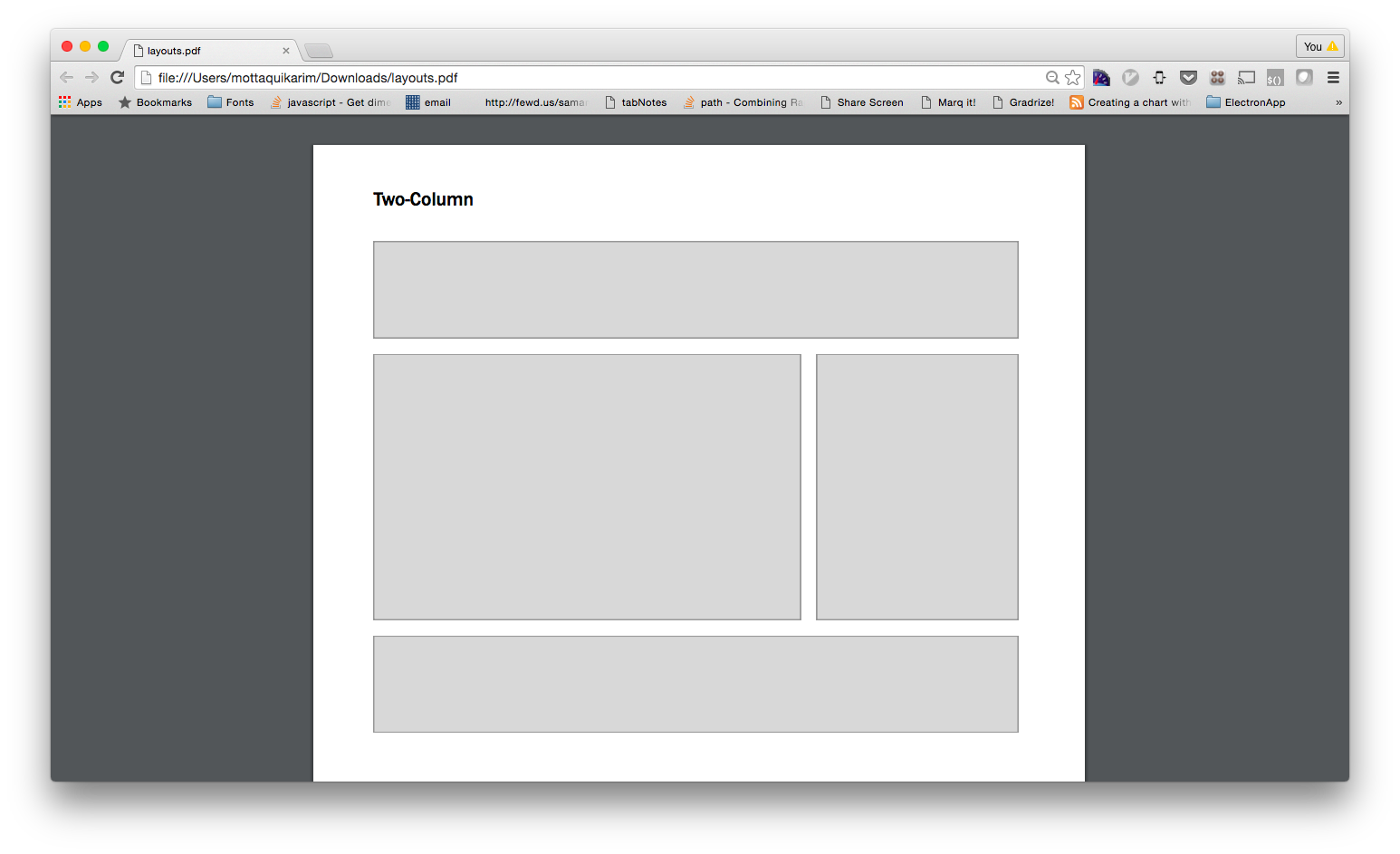
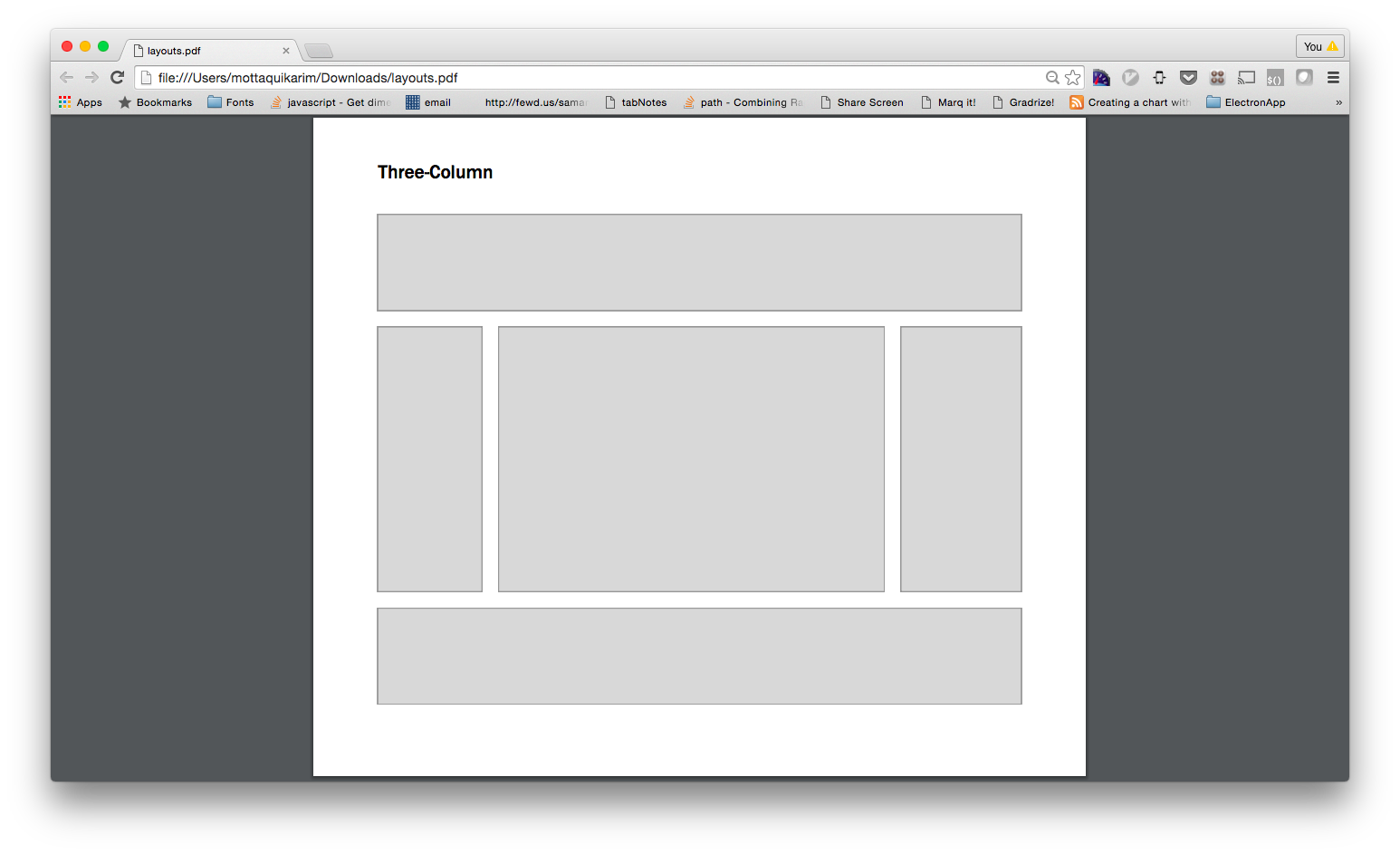
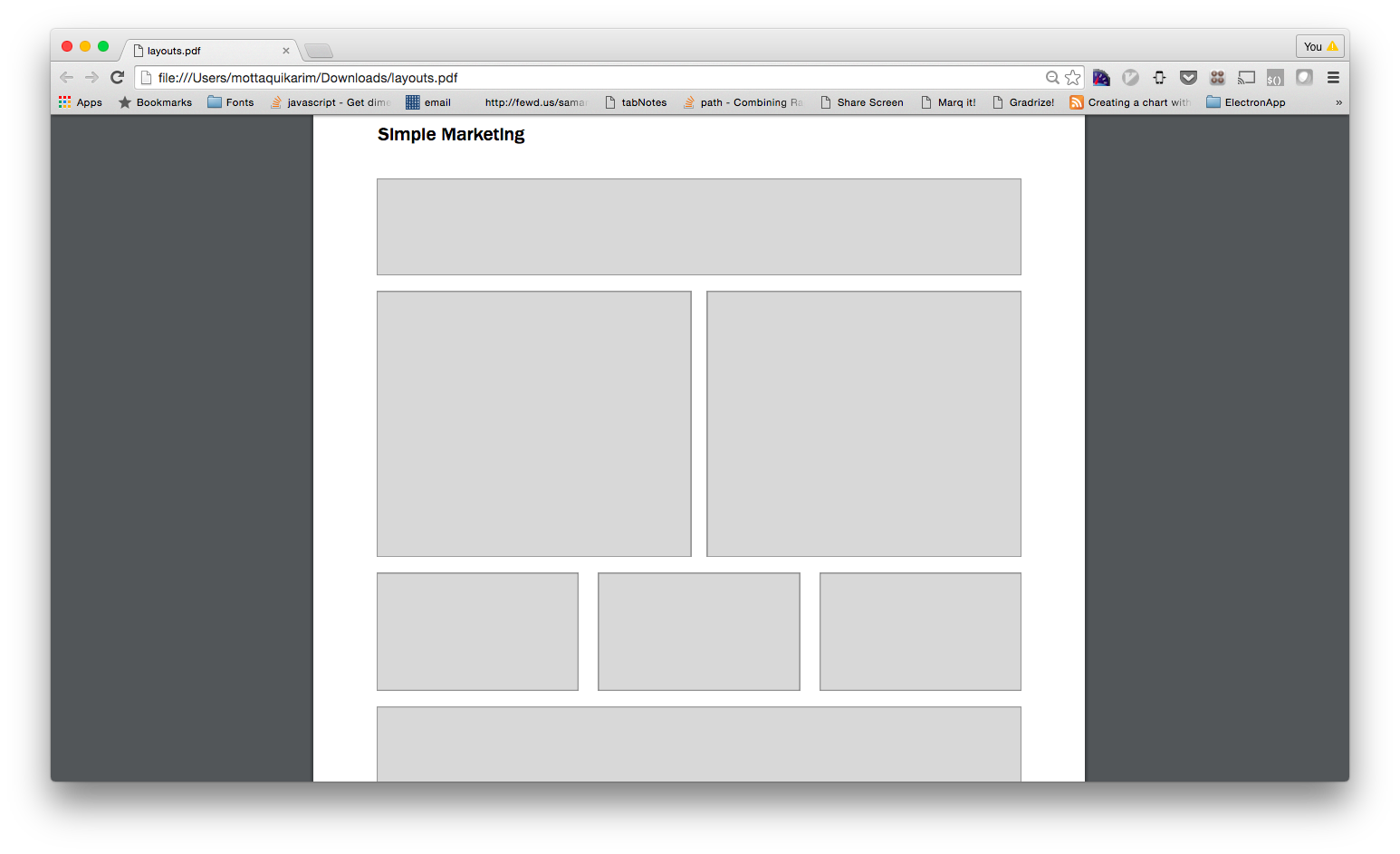
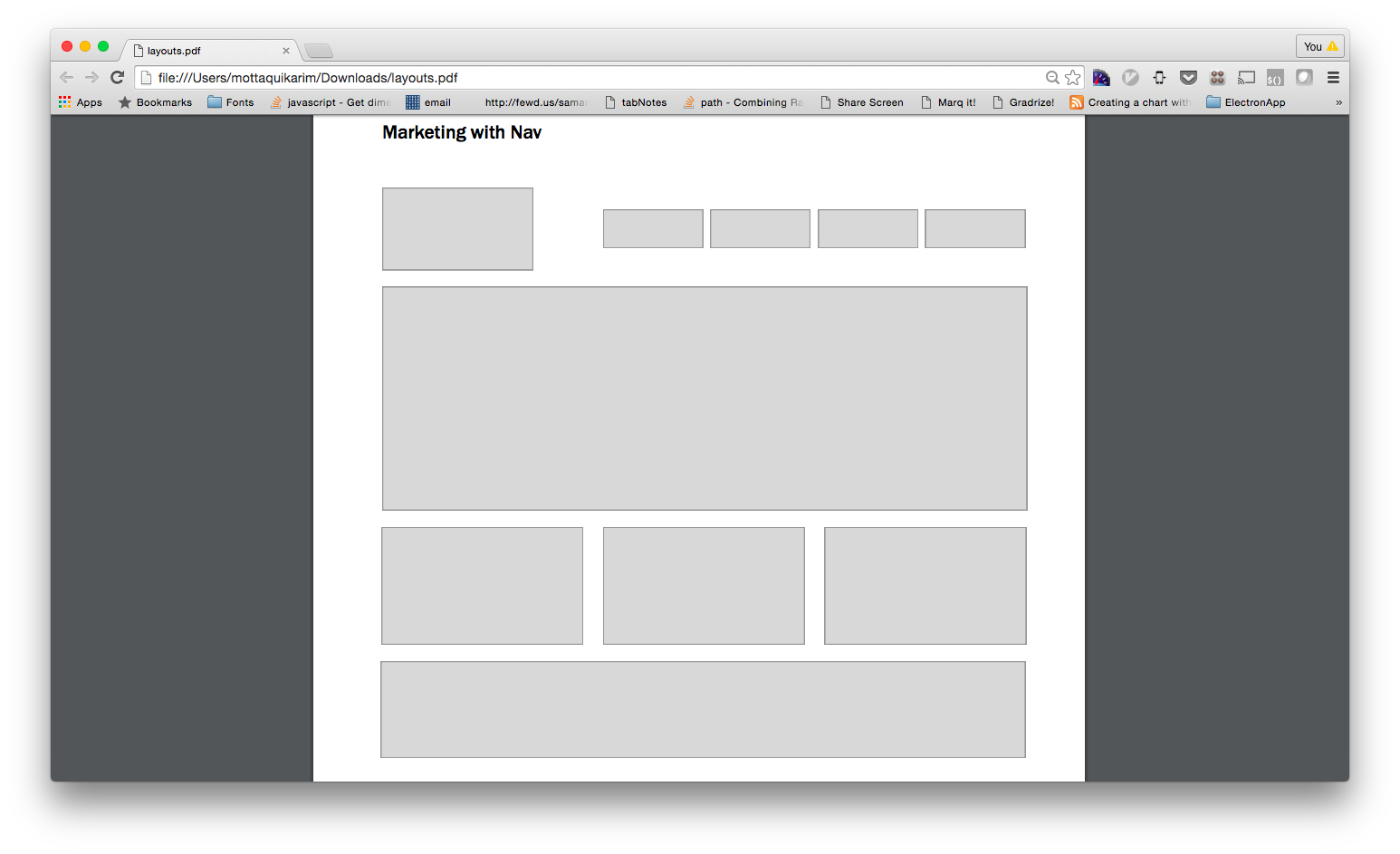
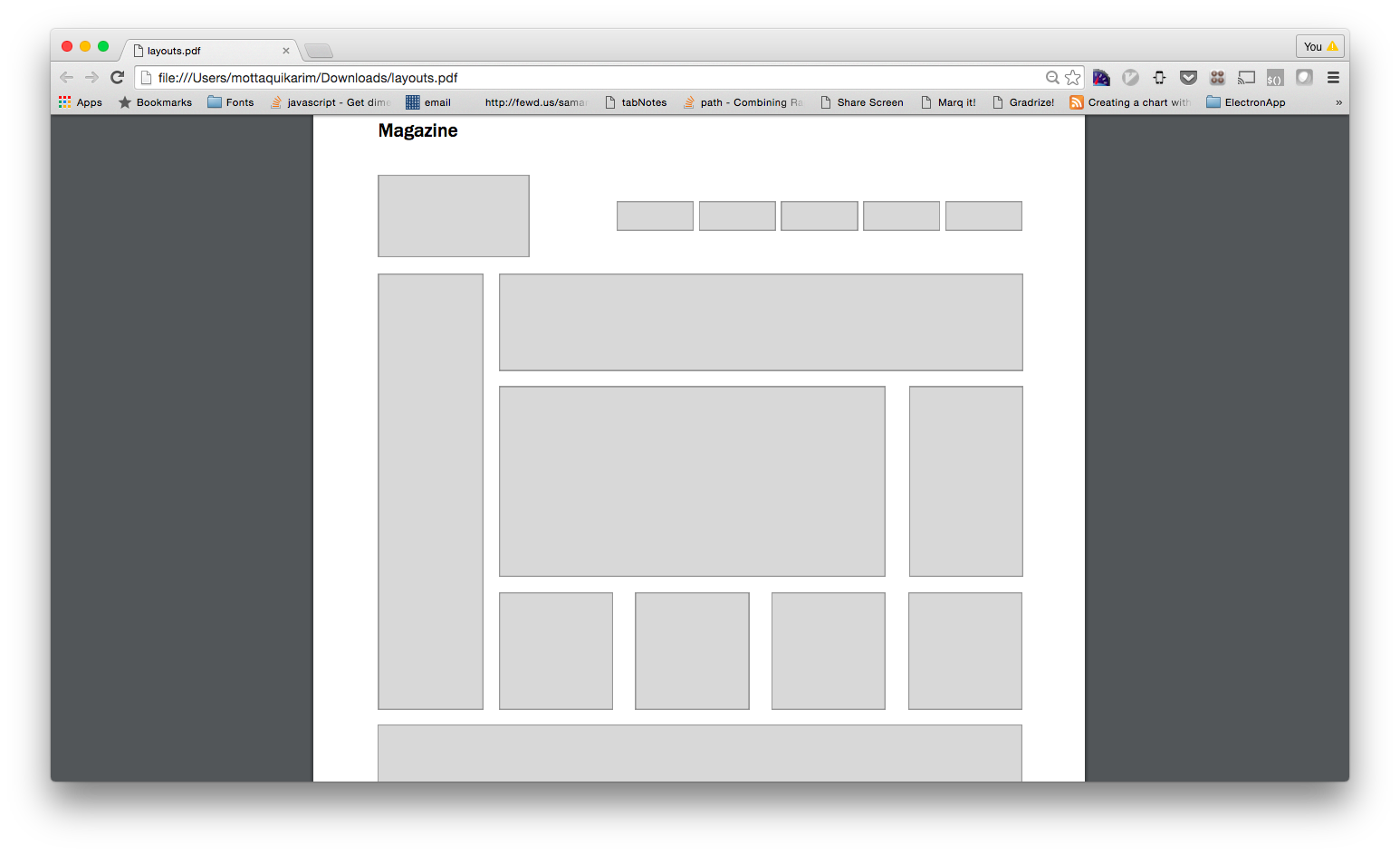
Let’s see if we can rebuild our layouts using a frontend framework.
Create a new project and then using the documentation provided by your the Bootstrap frontend framework, rebuild the following layouts.
-
NOTE: you will likely have to add some of your own CSS styles here as well to achieve the gray boxes and min-heights.
-
Simple Layout
-
Three Column Layout
-
Simple Marketing
-
Marketing with Nav
-
Magazine
What is Javascript?
👇👇👇
-
Let’s begin by defining what javascript actually is, how we can load javascript into our webpages, and how we can write a few lines of super basic javascript syntax.
-
What is JavaScript
Originally called Mocha, then LiveScript, then renamed to JavaScript.
- It’s a subclass of ECMAScript, a standardization maintained by Ecma International
- Basically, Ecma is the Webster’s Dictionary of JavaScript
-
What can you do with Javascript?
JavaScript runs in the browser, meaning it is used heavily in user-interaction. In other words, with javascript, you can…
-
Animate stuff
You can use javascript to create for example an infinite random prop loop.
-
Allow the user to control stuff
You can allow the user to take control of a UI element and dictate its state.
-
Mess with people’s minds
This is just a pretty cool masking example that is actually pretty hard to pull off with web dev tech (but can be done, as shown here thanks to javascript). (FYI: this formed the basis of this website that I built back in the day).
-
Determine the state of something on a page in real time
We are using something called conditionals here.
-
Load in data dynamically
Basically, we can interact with API data without ever reloading the page!
-
A note about NodeJS
NodeJS is a standalone port of Google Chrome’s v8 engine. Long story short, this allows us to run javascript on our machines in the same way you would run a “real” language such as ruby or python.
-
For this reason, we can today do essentially anything we could do with python/ruby/java/etc, namely:
- Write web servers
- Access the file system and manipulate data directly from a machine (simple example, we can write a javascript based “file copy” feature
- Interact with databases
- Build scripts that run on intervals and perform tasks
- etc
Essential Terminology
👇👇👇
-
Define: Program
Discrete, highly logical and explicit instructions that are parsed and executed by a computer. We call this set of human-readable instructions source code, or colloquially, a computer program.
-
Compilers can take this source code and transform it into machine code, a representation of the source that can be executed by the computer’s central processing unit or CPU.
-
Not all programs are compiled though, some are interpreted. The difference is that compiled languages need a step where the source code is physically transformed into machine code. However, with an interpreted language, this additional step is excluded in favor of parsing and executing the source code directly when the program is run.
-
How are programs written?
All programs are composed with a collection of fundamental concepts that, when combined, can essentially dictate a wide variety of tasks a computer can perform.
-
Declarations
Typically, we can store and retrieve data in our programs by associating them with intermediary values that we call variables
-
Expressions
We use expressions to evaluate stuff. For example, 2 + 2 is an example of an expression that will evaluate a value, namely 4.
NOTE: typically we can use expressions and declarations in tandem to perform complex tasks. For instance, we can reference a variable we declared in an expression to help us evaluate new values which can then be stored.
-
Statements
Statements will use expressions and declarations to alternate a program’s control flow, which is essentially the order in which declarations, expressions, and other statements are executed.
-
Aside from these fundamental concepts, we also talk a lot about this idea of algorithms. An algorithm is simply a series of declarations, expressions, and statements that can be used over and over again to solve well defined problems of a certain type.
-
For example, we can implement an algorithm that converts temperature from fahrenheit to celsius. It would look something like this:
- Declare F = 32;
- Expression ( F - 32 ) / 1.8;
- Declare C = Evaluated expression from [2]
-
This is a form of pseudo code where we define the steps a computer program — any — computer program can take to convert fahrenheit to celsius.
The beauty of programming is that all of it revolves around the same key set of concepts and ideas. For this reason, we do not need to specify any particular programming language when discussing the functional aspects of a program.
-
Define: Programming languages
A programming language is a series of grammar and rules that we can define towards writing source code.
-
Languages are effectively different approaches towards communicating the same ideas in programming. Essentially, we can communicate in say both French and English, what mainly differs is the structure of our sentences and the actual words and sounds themselves. The same analogy can be made with programming languages.
-
Examples of programming languages
- JavaScript: this language is interpreted.
- Python: this language is interpreted.
- Java: this language is compiled
- Ruby: this language is interpreted.
- C/C++: this language is compiled.
-
These languages all build on the same concepts defined above; the main difference lies in how they are run (compiled vs interpreted) and also how they are used. In general, anything programmable can be programmed in each of the languages defined above. However, some languages are better suited for certain tasks above others. For example, to perform web programming on the front-end, you’ll want to write JavaScript. This is because all browsers collectively support running javascript within it’s environment.
-
Psuedo Code
Let’s build a thermostat.
Assumptions
- We store user designated temperature value and don’t worry about how to get the input
- There is a statement we can run to query current room temperature
- There is a statement we can run to start / stop a “heat” source
Getting Started
👇👇👇
-
Before we begin, let us do some basic bookkeeping.
-
Linking to Javascript
How do we set up javascript to run in the browser?
- The precedent is similar to what we do to link CSS files — we employ a tag to tell the HTML page where the javascript code for that page lives.
- However, we do NOT use the link tag…
-
- Instead, we do the following: ```html <!doctype html>
**NOTE the `<script>` tag**

-

1. This is a new tag we have never seen before; remember that the `<link>` tag is for CSS files and the `<script>` tag is for javascript files (for now).
2. the `src` attribute is what we use to link to the external js file
3. remember to CLOSE your script tag, unlike the `<link>` tag, `<script>` is NOT self closing!

-

**Commenting + ( basic debugging of ) code in JavaScript**
```js
// this is an inline comment
console.log('You can write debugging statements like so');
/*
	this
		is
			a
				multilined
						comment
*/
-
Types of Variables
-
Definitions
A variable type is a way to classify the different kinds of data we can save to a variable. There are exactly 6 types of variables:
-
Primitives
undefinednull- boolean
- number
- string
-
Non Primitive
- Object
-
Primitives
A Primitive type is a most basic bit of information that you can store. For example, a number is a primitive because it cannot be made up of any of the other types of variables Alternate definition: Think of this as an atom – atoms are atoms because we cannot break them down into any more basic bits, same goes for primitives
-
undefined
Undefined is the default state of any variable. Basically means the variable is empty or has not yet been assigned a value, primitive or otherwise
-
null
The null variable is different from the undefined type, but only subtly so.
- the
nulltype is assigned to a variable, but its “value” is empty. - the
undefinedtype is by default the value of each variable that is declared but not defined - #esoteric Example
-
Booleans
True or false. Basically.
var myBooleanValue = true; // true
var myBooleanValueThatIsFalse = false; // false
console.log( typeof myBooleanValue );
-
Numbers
Numeric values that can be operated upon via the standard rules of arithmetic.
var myNumber = 1;
var pi = 3.14159; // ...approximately
-
Strings
This one is interesting, we use this to represent text. Anything between the quotations (double or single, doesn’t matter as long as you are consistent) is treated as a number. So…
var myName = 'Taq Karim';
var dudeThisIsAString = '105';
var doubleQuotesRCool2 = "Look ma! I'm double quoted";
-
Non-Primitives or: how I learned to stop worrying and Love the Object.
Objects are the bees-knees yo.
Objects are a collection of properties where each property is a primitive type.
-
In other words…
// just primitives
var someNumber = 1;
var someBool = false;
var someNullItem = null;
// as an object...
var myObject = {
	someNumber: 1,
	someBool: false,
	someNullItem: null,
}; // notice the use of ":" instead of "="
// to access these items:
console.log( myObject.someNumber );
console.log( myObject.someBool );